Respond to Reviews in 2 Minutes a Day: The Efficient Method
Learn how to manage all your customer reviews in just 2 minutes a day. Optimized workflow, templates, AI tools. Practical guide.

Respond to Reviews in 2 Minutes a Day: The Efficient Method
You know responding to reviews is important. But between running your business day-to-day, who has time to write personalized responses to every comment?
This guide shows you how to handle all your reviews in 2 minutes a day, without sacrificing quality or personalization.
The Problem: Why Responding to Reviews Takes Too Long
The typical process (inefficient)
Here's how most businesses handle their reviews:
1. Log into Google Business Profile           → 1 min
2. Read the review                            → 30 sec
3. Think about what to say                    → 2-3 min
4. Write the response                         → 3-5 min
5. Proofread and edit                         → 1 min
6. Publish                                    → 30 sec
─────────────────────────────────────────────────────
Total per review                              → 8-10 min
For 10 reviews per week: 1.5 hours of work.
For 20 reviews per week: 3 hours of work.
That's unsustainable. Result: reviews pile up without responses.
The cost of inaction
- Lost credibility: Customers see you don't respond
- Negative SEO impact: Google favors active profiles
- Missed opportunities: Every review is a chance to build loyalty
- Negative reviews that fester: Without a response, they remain definitive
The Solution: The "2 Minutes a Day" Workflow
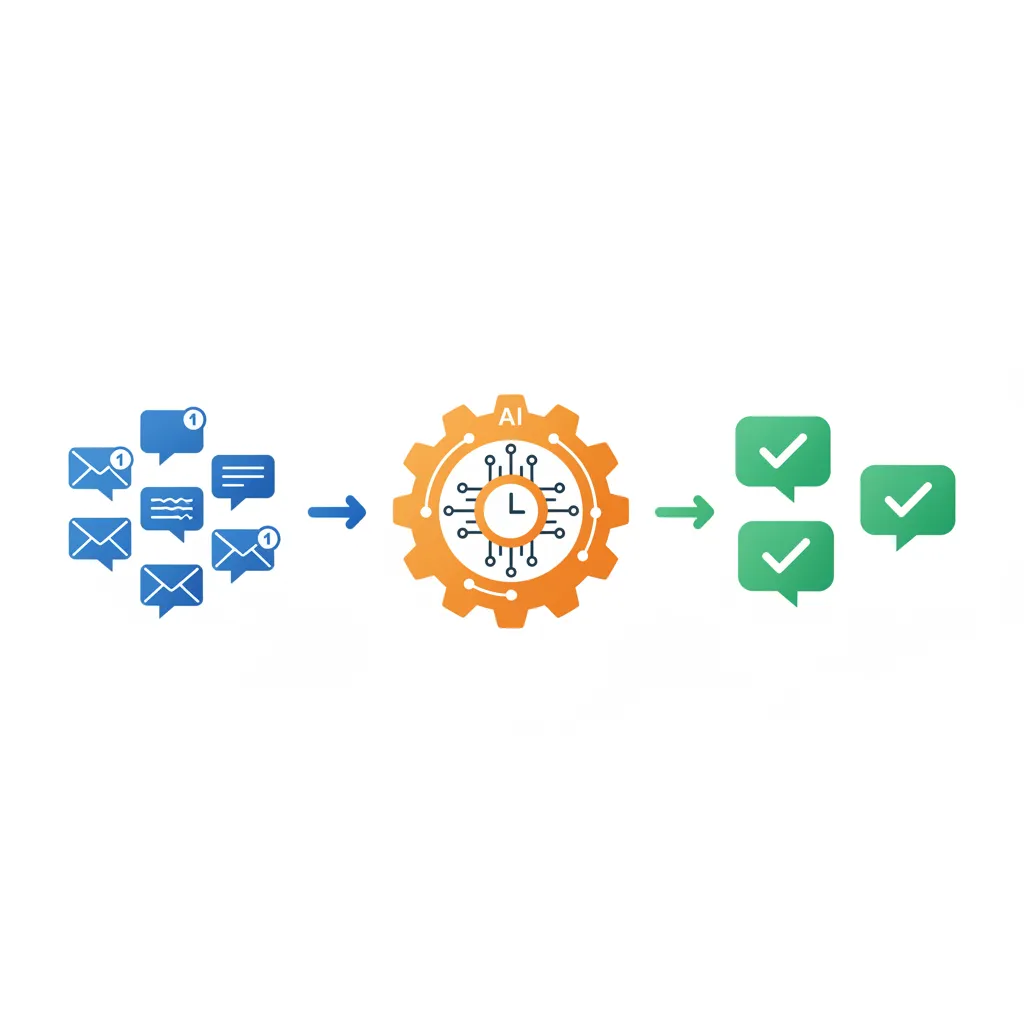
The new process (optimized)
1. Open the ReplyStack extension              → 5 sec
2. Click "Generate response"                  → 2 sec
3. Approve or slightly adjust                 → 15 sec
4. Publish                                    → 3 sec
─────────────────────────────────────────────────────
Total per review                              → 25-30 sec
For 10 reviews per week: ~5 minutes.
Time saved: 95%.
The 3 pillars of efficiency
| Pillar | Description |
|---|---|
| 1. Centralization | All your reviews in one place |
| 2. Automation | AI generates the responses |
| 3. Routine | A fixed time, every day |
Step 1: Set Up Your System
1.1 Install the right tools
Main tool: ReplyStack
- Chrome extension that works on all platforms
- AI response generation in 1 click
- Customization via Response Profile
Installation:
- Install the ReplyStack Chrome extension
- Create your account (free)
- Configure your Response Profile (5 minutes, one time only)
1.2 Configure your Response Profile
The Response Profile captures your business identity:
| Element | Example |
|---|---|
| Industry | Italian restaurant |
| Tone | Warm and family-oriented |
| Strengths | Fresh ingredients, homemade recipes, cozy atmosphere |
| Signature | "The Trattoria Team" |
| Handling negatives | Empathetic, offer direct contact |
Setup time: 5 minutes (one time only).
Once configured, all your responses will automatically follow these parameters.
1.3 Enable notifications
Never miss a review:
- Google Business Profile: Enable email notifications
- Facebook: Enable new review alerts
- Other platforms: Configure available alerts
Tip: Create an email filter to group all review notifications into a dedicated folder.
Step 2: The Daily 2-Minute Routine
The best time
Choose a fixed time slot each day:
| Time | Advantage |
|---|---|
| Morning (8-9am) | Fresh and focused, before fires start |
| After lunch | Natural break, clear mind |
| End of day | Wrapping up tasks, daily recap |
What matters: Pick a time and stick to it.
The 4-step workflow
Minute 1: Scan and prioritize
- Open your Google listing (or other platform)
- Identify new reviews
- Start with negative reviews (priority)
Minute 2: Quick responses
- For each review: click "Generate response"
- Read the suggestion (2 seconds)
- Adjust if needed (rare)
- Publish
That's it.
Concrete example
08:00 - Open Google Business Profile
      → 3 new reviews (2 positive, 1 negative)

08:00:15 - Negative review: "Service too slow"
         → Click "Generate response"
         → Response generated in 2 sec
         → Quick read: looks good
         → Publish

08:00:40 - Positive review #1: "Excellent meal!"
         → Click "Generate response"
         → Publish

08:01:00 - Positive review #2: "Great atmosphere"
         → Click "Generate response"
         → Publish

08:01:20 - Done. Total: 1 min 20 sec.
Step 3: Templates and Shortcuts
When AI is enough (90% of cases)
For the vast majority of reviews, the AI-generated response is perfect:
Standard positive review:
"Great restaurant, we'll be back!"
AI response:
"Thank you so much for the kind words! So glad you had a great time. See you soon! — The Trattoria Team"
Action: Approve directly, no modification needed.
When to personalize (10% of cases)
Some reviews deserve a personal touch:
| Situation | Action |
|---|---|
| Regular customer identified | Add "Thanks for your loyalty" |
| Very specific detail mentioned | Reference that detail in response |
| Complex situation | Add your direct phone number |
| Compliment about an employee | Mention you'll pass it along |
Example:
Review: "Our server Marco was exceptional, very attentive."
AI response: "Thank you for this warm feedback! We're delighted your experience exceeded expectations."
Adjustment: "Thank you for this warm feedback! Marco will be thrilled to read this — we're passing it along right away. See you soon!"
Adjustment time: 10 seconds.
Mental shortcuts
To go even faster, memorize these patterns:
| Review type | Response pattern |
|---|---|
| 5-star enthusiastic | Thanks + Emotion + See you soon |
| 4-star satisfied | Thanks + We continue improving + See you soon |
| 3-star mixed | Thanks + We note this + Contact |
| 2-star disappointed | Apology + Understanding + Direct contact |
| 1-star angry | Sincere apology + Immediate contact |
Step 4: Handle Special Cases

Negative reviews (priority treatment)
Golden rule: Always respond to negative reviews first.
Specific workflow:
- Read carefully (10 sec) — Understand the real problem
- Generate AI response (2 sec)
- Check the tone (5 sec) — Empathetic? Non-defensive?
- Add contact info if serious (5 sec)
- Publish
Total time: 30-40 seconds.
What AI does well:
- Stay calm and professional
- Apologize without being excessive
- Offer a solution
What you should verify:
- Is the mentioned problem properly addressed?
- Should you offer direct contact?
Suspicious or fake reviews
Signs of a fake review:
- No details about the experience
- Profile with no photo or history
- Event you can't find in your records
- Generic or inconsistent language
Action:
- Respond anyway (professionally)
- Report the review to Google
- Don't get upset publicly
Response template:
"Hello, we don't have a record of your visit in our system. Could you please contact us directly at [email] so we can identify your experience? We sincerely want to resolve any issue."
Reviews with no text (just a rating)
Some customers leave 5 stars without a comment.
Should you respond? Yes, but keep it short.
Sample response:
"Thanks for the 5 stars! See you soon"
Time: 5 seconds.
Step 5: Optimize Week After Week
Weekly review (5 minutes)
Each week, take 5 minutes to:
| Check | Action if issue |
|---|---|
| All reviews have a response? | Catch up on missed ones |
| Recurring negative theme? | Improve that service area |
| Average rating declining? | Analyze recent reviews |
| Average response time? | Adjust routine if needed |
Delegate intelligently
If you have a team, you can delegate:
Option 1: Full training
- Give a trusted employee access to ReplyStack
- The Response Profile ensures consistency
Option 2: Approval
- Employee generates responses
- You approve with 1 click each morning
Anticipate peaks
Certain periods generate more reviews:
- After holidays
- Peak tourist season
- After a promotion or event
Tip: Block 5 minutes instead of 2 during these periods.
The Numbers: Before / After
Before the method
| Metric | Value |
|---|---|
| Time per review | 8-10 min |
| Reviews handled / week | 5-10 (rest ignored) |
| Response rate | 40-60% |
| Average response time | 3-7 days |
| Associated stress | High |
After the method
| Metric | Value |
|---|---|
| Time per review | 25-30 sec |
| Reviews handled / week | 100% |
| Response rate | 100% |
| Average response time | < 24h |
| Associated stress | Nearly zero |
ROI of the method
Time saved: 1.5 to 3 hours per week
Indirect benefits:
- Better local SEO ranking
- More customer trust
- Less stress
- Increased loyalty
Getting Started Checklist
Day 1 (15 minutes)
- Install the ReplyStack extension
- Create an account
- Configure Response Profile
- Choose your daily time slot
Day 2 (5 minutes)
- Enable review notifications
- Create email filter to group them
- Catch up on pending reviews
Day 3 and beyond (2 minutes/day)
- Open your review platform
- Handle each review in 30 seconds
- Move on with your day
FAQ
"What if I have more than 10 reviews a day?"
Even with 20 reviews/day at 30 seconds each, you're at 10 minutes. Still manageable.
For very high volumes (50+ reviews/day), consider:
- Delegating to a trained employee
- Increasing your time block to 15-20 min/day
"Can AI really personalize?"
Yes. The AI analyzes the review content (rating, text, elements mentioned) and generates an adapted response. Combined with your Response Profile, the result is personalized and consistent with your brand.
"What if the AI gets it wrong?"
It's rare, but it can happen. Before publishing:
- Read the response (2 seconds)
- If something's off, click "Regenerate" or edit manually
You always keep final control.
"Do I really need to respond to positive reviews?"
Yes. Customers who leave positive reviews deserve acknowledgment. Plus, other customers see you're engaged. And it's good for SEO.
"How do I handle multiple locations?"
With ReplyStack, each location has its own Response Profile. The process stays the same: 2 minutes per location.
Take Action
The method is simple:
- Install ReplyStack (free to start)
- Configure your profile (5 minutes, once)
- Block 2 minutes per day in your calendar
- Stick to the routine for 2 weeks
After 2 weeks, responding to reviews will be as natural as checking your email.
Automate Your Responses with ReplyStack
ReplyStack is the tool built for this method:
- Chrome extension that works everywhere
- 1-click AI generation
- Personalized Response Profile
- 15 free responses / month
See also: How to Get More Google Reviews • Complete Online Reputation Strategy
ReplyStack Team
Review Management Experts